

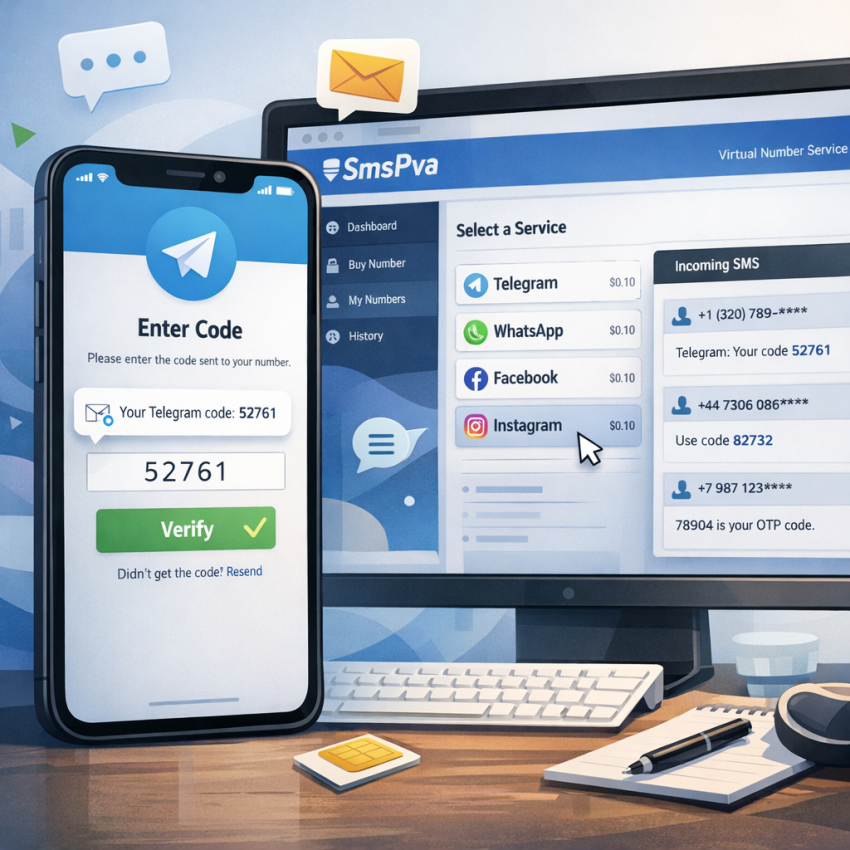
If you need to receive Telegram verification SMS quickly in 2026, the process is still straightforward—but it is more sensitive to setup quality than many users expect. Telegram may send a code by SMS, route verification differently if another session already exists, or delay delivery when a request pattern looks inconsistent. That means speed alone is not enough. You also need the right service selection, a suitable country, clean timing, and a number that matches the workflow you are trying to complete.
For users who do not want to use a personal SIM, SmsPva’s Telegram verification page offers a direct path to buy a virtual number for Telegram, monitor the activation, and receive the one-time password in one dashboard. That is useful for privacy-focused signups, account separation, testing, temporary workflows, travel scenarios, and users who simply need a practical way to complete Telegram SMS verification without exposing their primary number.
This guide explains how Telegram verification works in 2026, the fastest low-error method to use SmsPva, how to choose the right country, how to compare personal and virtual number workflows, and what to do when a Telegram OTP does not arrive. It also includes a quick comparison framework, expanded troubleshooting, and FAQ answers based on the most common user mistakes.
Important: Use virtual numbers only for lawful, legitimate verification purposes and always follow Telegram’s terms and your local laws. A privacy tool should support account separation and security—not spam, fraud, impersonation, or abuse.
Quick answer: the fastest way to receive a Telegram code online
If you want the shortest workable process, this is the core workflow:
- Go to the Telegram page on SmsPva.
- Sign in and add balance before selecting a number.
- Choose Telegram as the exact service.
- Pick a country with live stock and stable availability.
- Buy the number only when Telegram is already open and ready.
- Enter the number exactly as shown, including the country code.
- Request the verification code once.
- Keep the SmsPva activation window open and wait for the SMS.
- Enter the OTP as soon as it appears.
The biggest causes of failure are simple: wrong service selected, entering the number incorrectly, requesting too many retries, or choosing a weak stock country when a more reliable option is available.
At a glance: what matters most for Telegram SMS verification in 2026
| Factor | Why it matters | Best practice |
|---|---|---|
| Service selection | Telegram-specific routing reduces mismatches | Choose Telegram directly, not a generic option |
| Country choice | Stock quality can affect speed and success rate | Prefer countries with live availability over the cheapest option |
| Timing | Delays between purchase and use can create friction | Prepare Telegram first, then buy the number |
| Number entry | Minor formatting mistakes cause failed requests | Copy the number exactly as shown |
| Retry behavior | Repeated requests may trigger delays or cooldowns | Request once and wait before retrying |
| Account state | Existing Telegram sessions may change code delivery | Check whether Telegram is sending an in-app code instead |
What Telegram verification requires in 2026
Telegram still relies heavily on phone-based identity checks for sign-up and login flows. In many cases, that means a classic SMS one-time password. In other cases, especially when an account already exists and has an active session somewhere else, Telegram may prioritize an in-app code instead of sending an SMS immediately. This is why many users believe the SMS failed when, in reality, Telegram is waiting for confirmation through an existing device.
That context matters because successful verification is no longer just about getting any temporary number. In 2026, the process usually depends on a combination of:
- Correct service mapping: selecting Telegram specifically instead of a generic or mismatched service.
- Country availability: some number pools have better current performance and stock depth than others.
- Immediate use after purchase: buying a number and then waiting too long before requesting the OTP can reduce efficiency.
- Clean execution: entering the number correctly, using one activation at a time, and avoiding excessive resends.
- Awareness of account state: knowing whether you are creating a new account or logging in to an existing one.
A virtual number for Telegram remains practical when you want to keep your personal number private, separate work or campaign activities from personal messaging, test a setup, or complete a one-time activation without tying it to your main SIM.
When a virtual number makes sense for Telegram
Not every user needs the same Telegram verification workflow. Some want a permanent personal account. Others need a fast operational setup, a privacy layer, or account compartmentalization. A virtual number is typically most useful in these cases:
- Privacy-conscious signups: you do not want your personal SIM attached to every online service.
- Work and personal separation: you want distinct identities for business operations, testing, or support use.
- Travel or temporary setups: you need a quick Telegram activation while moving between regions.
- Testing and product workflows: you need to verify a process without reusing your main number.
- One-off activations: the account does not need to represent your long-term personal identity.
In contrast, if Telegram is your permanent personal account and long-term account recovery matters most, a personal mobile number is often the safer choice. The right answer depends on the account’s purpose.
How to receive a Telegram verification SMS with SmsPva: step-by-step
The easiest and lowest-friction method is to begin directly on the Telegram service page at SmsPva instead of browsing unrelated service lists. That keeps the process aligned from the start.
- Open the Telegram verification page on SmsPva.
This is the fastest way to avoid service mismatch and focus only on Telegram-compatible activations. - Sign in or create your SmsPva account.
Your purchased activation, SMS status, and order history are tied to your account dashboard. - Add balance before selecting the number.
When stock is available, pre-funding helps you move faster instead of pausing during checkout. - Confirm Telegram is the selected service.
Do not assume a number listed for another service will work the same way for Telegram. - Choose a country with active stock.
If you do not need a specific region, prioritize availability and stable inventory rather than the lowest visible price. - Buy the number and copy it exactly.
Pay close attention to the country code and full number formatting. - Open Telegram and begin the sign-up or login process.
Enter the number carefully and request the code only after checking the digits once more. - Return to the SmsPva activation panel.
Keep the session open and monitor incoming messages there. - Wait for the OTP.
Do not hit resend repeatedly unless you have clearly exhausted a reasonable wait window. - Enter the code immediately in Telegram.
OTP messages are time-sensitive, so quick entry matters. - Complete setup and record what worked.
If you use Telegram verification regularly, note the country, timing, and workflow that produced the best result.
Best practice for fewer failed activations
- Prepare Telegram before buying the number.
- Use one number for one activation only.
- Request the SMS once and wait.
- Keep your browser session open on SmsPva while monitoring the activation.
- Double-check the number before submitting the request in Telegram.
- If you are logging into an existing account, check other Telegram sessions first.
How to choose the right virtual number for Telegram
Choosing the right virtual number for Telegram is often the difference between a fast activation and a frustrating retry. The best number is not always the cheapest one, and the best country is not always the same from week to week. Real-time stock and workflow quality matter more than assumptions.
1. Choose the right country based on your goal
If your Telegram account does not need to match a specific region, pick a country with healthy Telegram stock on SmsPva. Strong inventory generally improves your chance of fast allocation and smooth SMS receipt.
If your use case is region-specific, choose a country that fits the account context. For example, if you are managing a country-specific customer workflow, selecting a matching number may be more coherent than mixing unrelated regions.
2. Prioritize availability over old rules of thumb
Users often search for the “best country” for Telegram verification as if one answer always applies. In practice, current inventory and routing quality matter more than generic advice. A country that worked well last month may have thin stock today, while another may currently perform better.
That is why the practical approach is simple: check what is available now on SmsPva and choose a country with active, healthy stock.
3. Use the number immediately after purchase
Telegram verification works best when the sequence is tight. Prepare the Telegram app or desktop client first, then buy the number, then request the code right away. This reduces the chance of confusion, expiration pressure, or unnecessary retry behavior.
4. Consider reliability before price
Price matters, but failed attempts cost time and attention. A slightly more expensive option with better stock can be more efficient than chasing the lowest price and repeating the process. For most users, the best priority order is:
- Telegram service availability
- Country stock quality
- Clean timing
- Price
5. Match the number to the account type
If you are creating a temporary or compartmentalized account, flexibility is usually the priority. If you are setting up a long-term identity, continuity and future recovery matter more. The number should fit the account’s role, not just the lowest-cost path.
Comparison framework: personal number vs virtual number for Telegram
| Option | Best for | Main advantage | Main tradeoff |
|---|---|---|---|
| Personal number | Primary long-term Telegram account | Better continuity and recovery | Less privacy and less compartmentalization |
| Virtual number | Privacy, testing, temporary workflows, account separation | Keeps personal SIM separate | Not always ideal for a core long-term identity |
For many users, the practical middle ground is to keep a personal number for their main Telegram identity and use a Telegram activation number from SmsPva for operational, short-term, or privacy-focused accounts.
Common mistakes that stop Telegram verification from working
Most failed attempts are not mysterious. They usually come from a short list of preventable errors:
- Selecting the wrong service: choosing a generic number or another platform instead of Telegram.
- Entering the number incorrectly: one missing digit or wrong country code is enough to fail the request.
- Buying too early: purchasing the number before Telegram is ready, then losing time during setup.
- Requesting too many codes: repeated taps on resend can trigger delays or cooldowns.
- Ignoring active sessions: Telegram may be sending a code to another logged-in device instead of SMS.
- Choosing weak stock: selecting a country with thin inventory when stronger live options are available.
Most of these mistakes are easy to avoid with one rule: prepare the workflow first, then execute it once, carefully.
Why your Telegram SMS code is not arriving
If your Telegram SMS code is not arriving, the cause is usually one of a few repeatable issues rather than a random failure. The goal is to identify which stage broke: service selection, number entry, Telegram routing, timing, or stock quality.
1. Wrong service selected
If you did not select Telegram specifically on SmsPva, the code may not be routed to the activation you purchased.
What to do: Start over from the Telegram verification page and confirm the service before purchase.
2. Delivery is delayed, not lost
Sometimes the OTP is simply late. This can happen during busier periods or when a country pool is less responsive than usual.
What to do: Wait through a normal delivery window once before taking action. Avoid repeated resend attempts.
3. The selected country has weaker current stock
Some countries perform better at a given moment than others. Stronger stock usually means smoother allocation and fewer failed attempts.
What to do: Switch to a country with healthier current Telegram availability on SmsPva.
4. Telegram is sending an in-app code instead of SMS
If you are trying to log in to an existing Telegram account, Telegram may first send a code to another active device.
What to do: Check any device where that Telegram account may still be signed in.
5. Number entry error
This is one of the most common causes of failure. A copied number can still be entered incorrectly if the country code or formatting is misunderstood.
What to do: Compare the number shown on SmsPva with what you entered in Telegram character by character.
6. Too many retries triggered a cooldown
Telegram may slow or delay repeated requests when the same user keeps trying in quick succession.
What to do: Stop retrying, wait, then restart with one clean attempt if needed.
7. You waited too long after buying the number
If too much time passed between purchase and the request, the process becomes less efficient and easier to mishandle.
What to do: Prepare first and purchase only when you are ready to request the code immediately.
8. You are mixing devices or workflows unnecessarily
Switching between apps, browsers, devices, and copied formats creates room for avoidable mistakes.
What to do: Use one clear setup path from purchase to verification.
Quick recovery workflow
- Confirm Telegram was selected as the service.
- Verify the number and country code exactly.
- Wait once without spamming resend.
- Check for an in-app code on existing Telegram sessions.
- If nothing arrives, replace the activation with a fresh number.
- If one country keeps failing, switch countries.
- Use the SmsPva Help page if you need platform guidance.
2026-specific tips for a smoother Telegram OTP workflow
Users searching for Telegram SMS verification 2026 usually want to know what has changed in practice. The biggest shift is not a single Telegram rule change; it is that clean execution matters more than before. A few habits now make a noticeable difference:
- Expect alternative delivery paths: if the account already exists, Telegram may prefer in-app verification.
- Treat stock as dynamic: the best virtual number workflow depends on current availability, not static lists.
- Reduce noise in the process: one careful attempt often works better than multiple rushed retries.
- Use service-specific pages: starting from the Telegram page on SmsPva is more reliable than jumping in from a generic list.
- Think in workflows, not just numbers: country, timing, account status, and retry behavior all affect success.
That is why users comparing providers often care less about broad promises and more about whether the platform gives them Telegram-specific routing, live stock options, and an activation dashboard that is easy to monitor.
Example workflows: which setup fits your use case?
Example 1: privacy-focused personal signup
You want a separate Telegram account without exposing your main number. In this case, start on SmsPva’s Telegram page, choose a country with stable stock, and complete the OTP flow in one session without switching devices unnecessarily.
Example 2: marketer or operator managing account separation
You need clean separation between business activity and your personal identity. The priority here is consistency: use Telegram-specific activation, choose a country that aligns with the account context when needed, and document which country and timing combination performs best.
Example 3: traveler or temporary workflow
You need a Telegram verification code quickly while abroad or while your usual SIM is unavailable. In this case, speed and stock quality matter more than matching a preferred region. Use the most reliable available option and complete the request immediately after purchase.
Example 4: existing account login problem
You are not creating a new account—you are trying to access an old one. Before assuming the SMS failed, check whether Telegram is waiting for confirmation on another active device. This is one of the most common misunderstandings in login scenarios.
Why users choose SmsPva for Telegram verification
Users often choose SmsPva because the workflow is service-specific instead of vague. Rather than searching through a generic list and guessing which number may work, you can go directly to the Telegram page, select a country with current stock, buy the number, and receive the OTP in the same dashboard.
That matters because Telegram verification success is often about reducing unnecessary variables. A direct workflow makes it easier to keep service selection, country choice, timing, and activation monitoring aligned.
SmsPva also supports other verification tasks beyond Telegram, including WhatsApp, Google, and OpenAI. For users managing multiple service verifications, using one platform across several workflows can simplify repeat tasks. For users building more isolated account environments, the availability of HQ Proxy tooling may also be relevant depending on their setup.
If you need guidance or troubleshooting, the Help section and News page are the best places to check for updates, workflow clarifications, and service-specific notes.
Telegram verification checklist before you buy
Use this short checklist before purchasing any Telegram OTP virtual number:
- Do I need a new account or access to an existing one?
- If it is an existing account, could Telegram send an in-app code instead of SMS?
- Have I opened Telegram and prepared the screen where I will enter the number?
- Did I go to the Telegram-specific page on SmsPva?
- Is the selected country currently in stock?
- Am I ready to request the code immediately after purchase?
- Will I avoid repeated retries unless a normal wait window has passed?
Answering these first removes most of the avoidable friction from Telegram account verification SMS workflows.
Fast Telegram verification checklist
- Open SmsPva’s Telegram page.
- Log in and fund your account.
- Choose Telegram as the service.
- Select a country with live stock.
- Buy the number only when ready to use it.
- Enter the number in Telegram exactly as shown.
- Request the code once and monitor the activation panel.
- Enter the OTP immediately when it arrives.
Frequently asked questions
Can I receive a Telegram verification SMS with a virtual number in 2026?
Yes. Many users still use a virtual number for Telegram in 2026 for privacy, testing, account separation, and temporary workflows. Success depends on selecting Telegram as the service, choosing a country with healthy stock, and following a clean one-attempt workflow.
How do I choose the best country for Telegram verification on SmsPva?
Start with current availability, not just price. If you do not need a specific region, choose a country with healthy Telegram stock and stable live inventory. In practice, the best country is usually the one with the strongest current availability for your workflow.
Why is my Telegram SMS code not arriving?
The most common reasons are wrong service selection, a number entry error, delayed routing, weak country stock, too many retries, or Telegram sending an in-app code to another logged-in device instead of SMS.
How long does it usually take to receive a Telegram OTP on SmsPva?
It varies by country, current stock, and Telegram’s routing behavior. The best method is to request the code immediately after purchase and keep the activation session open while you wait. Many failures happen because users assume a short delay means total failure and retry too early.
What should I do if I selected the wrong service or country?
Do not keep forcing the same activation. Start over from the Telegram page on SmsPva, select Telegram explicitly, and choose a country with stronger availability if the first option looked weak.
Is it better to use a personal number or a virtual number for Telegram?
For a long-term primary Telegram identity, a personal number is often better for continuity and recovery. For privacy, testing, one-off activations, and account separation, a virtual number is often more practical.
Can I use SmsPva only for Telegram, or for other verifications too?
You can use SmsPva for Telegram and other major verification flows as well, including services such as WhatsApp, Google, and OpenAI. That makes it useful for users who manage multiple verification tasks in one place.
Where can I find Telegram-specific instructions and support on SmsPva?
Start with the Telegram verification page. For troubleshooting and platform guidance, visit the Help page. You can also check the News section for updates and workflow notes.
Final thoughts
If your goal is to receive Telegram verification SMS quickly and with fewer mistakes in 2026, the most effective approach is simple: use a Telegram-specific activation flow, choose a country with live stock, buy only when you are ready, and avoid unnecessary retries. Most problems come from workflow errors, not from the idea of virtual numbers itself.
For users who want a clear path, SmsPva’s Telegram verification page gives you a direct way to buy a Telegram activation number, monitor the incoming code, and complete the setup in one place. If issues come up, the Help section is the next step for troubleshooting.