

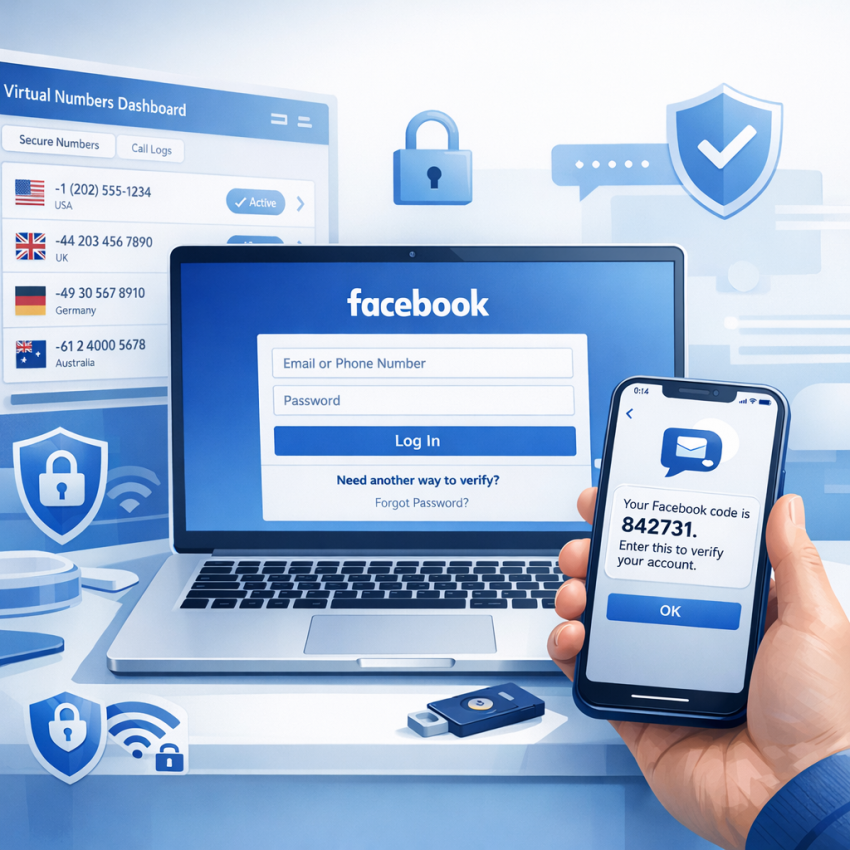
Receive Facebook Verification SMS with SmsPva: Step-by-Step Guide for 2026
Facebook still relies on SMS for sign-up confirmation, suspicious-login checks, account recovery, and certain security changes. If you do not want to use your personal phone number for every verification event, a virtual number can be a practical alternative.
This guide explains how to receive Facebook verification SMS with SmsPva in 2026, how the workflow works, what affects delivery, and what to do when a code does not appear. It also covers privacy, account-isolation best practices, country selection, and common mistakes that cause failed OTP delivery.
Important: Use virtual numbers only for lawful, legitimate, and platform-compliant purposes, such as privacy protection, account recovery, separating work and personal workflows, or managing authorized business operations. Facebook applies its own rules, eligibility checks, and anti-abuse systems regardless of the SMS provider you choose.
Why users choose a virtual number for Facebook
Many people searching for a virtual number for Facebook verification are not trying to complicate the process. They usually want a simpler and more controlled way to receive a one-time code without exposing their everyday mobile number.
In practice, users turn to virtual verification numbers for a few common reasons:
- Privacy: keep a personal SIM separate from social media verification.
- Workflow separation: avoid mixing private, business, and testing-related activity.
- Organization: view OTPs in a dashboard instead of searching through a crowded phone inbox.
- Regional fit: choose a number country that better matches the account context.
- Account isolation: maintain cleaner boundaries between different online identities or teams.
This matters for privacy-conscious users, marketers, agencies, moderators, support teams, developers, and anyone who wants a cleaner verification workflow. For these users, Facebook verification SMS with virtual number services can be more practical than using a personal number for every login or recovery action.
How SmsPva works for Facebook OTP delivery
SmsPva is designed for SMS verification workflows rather than generic public inbox use. The platform lets you select a number, use it for a supported verification flow, and monitor incoming codes in your dashboard.
The core process is straightforward:
- Sign in to your SmsPva account.
- Check your balance and number availability.
- Select the service and country that best fit your Facebook session.
- Copy the number exactly as shown.
- Enter the number into Facebook.
- Request the OTP once and wait for delivery.
- Read the code from the active order panel.
- Paste the code into Facebook before it expires.
This is the basic method for anyone who wants to receive Facebook code online 2026 without relying on a personal mobile inbox.
What to prepare before requesting the SMS
One reason Facebook verification attempts fail is that users start too early, switch tabs too often, or choose a number before the account session is ready. A few minutes of preparation can significantly improve results.
Have the Facebook verification screen ready
Do not reserve a number first and then begin logging into Facebook. Open the verification page, confirm the account action you are taking, and only then select your number.
Use a stable browser session
If possible, complete the process in one browser profile and one device session. Constant switching between desktop and mobile, Wi-Fi and mobile data, or multiple tabs can create friction.
Know your account context
Ask yourself a few simple questions before you start:
- Which country is this account usually associated with?
- What region does your current IP suggest?
- Is this a new sign-up, a login challenge, or a recovery flow?
- Does the browser language match the expected region?
The closer your verification setup matches the account’s normal behavior, the more natural the request looks to Facebook.
Step by step: how to receive a Facebook verification SMS with SmsPva
Below is a practical workflow you can follow from start to finish.
- Open SmsPva and log in.
Go to smspva.com and sign in to your account. Make sure the dashboard loads normally before moving on. - Check balance and current number availability.
Before starting the Facebook step, confirm that you have funds available and that numbers are currently in stock for the country you want. - Choose a suitable country.
Select a number country that fits the account context. A good match between account region, browser environment, and number country usually works better than choosing the cheapest option at random. - Keep the Facebook page open.
Navigate to the Facebook action that requires a code, such as sign-up confirmation, login verification, or adding a phone number for security purposes. - Reserve the number only when you are ready.
This reduces the chance of losing time during the OTP window. Copy the full number exactly as displayed in SmsPva. - Enter the number carefully in Facebook.
Pay attention to the country code and number format. A simple formatting mistake can make Facebook reject the number immediately. - Request the code once.
After you submit the number, wait for Facebook to send the verification SMS. Avoid repeated taps on resend unless you are certain the first request expired. - Monitor the active order panel in SmsPva.
Stay on the order page and watch for the incoming OTP. If the message arrives, copy it promptly. - Enter the OTP into Facebook.
Paste or type the code exactly as received. Most verification codes expire quickly, so complete the step without delay. - Finish the account action.
Once the code is accepted, complete the sign-up, login confirmation, or recovery step. If Facebook asks for an additional security check, follow the on-screen instructions.
That is the most direct way to receive Facebook verification SMS through SmsPva in 2026.
How to choose the right country and number type
Country selection is one of the biggest factors in SMS verification for Facebook. Many users focus only on availability or price, but Facebook often evaluates a broader set of signals:
- recent login region,
- current IP location,
- browser language and device context,
- the country code of the submitted phone number,
- the type of account action being performed.
If these signals conflict too sharply, delivery may be delayed, the number may be rejected, or the verification step may trigger extra checks.
Best practice for country selection
Use a country that naturally fits the account’s normal environment. For example:
- If the account usually logs in from one country, choose a number from that country or a closely matching region.
- If you are recovering an older account, consistency matters more than experimentation.
- If you are creating a business-related workflow, align the number with the operating market when possible.
Temporary number vs verification-focused number
A generic temporary number may simply act like a basic message inbox. A verification-focused number is intended for OTP delivery, service-specific workflows, and active-order tracking. That distinction matters because Facebook verification is more sensitive than casual messaging.
Users looking for Facebook OTP with temporary number solutions often get better results from a platform built for account verification rather than a public disposable inbox model.
What improves delivery success in 2026
If you want to receive Facebook OTP online more reliably, focus on consistency. In many cases, failed delivery is not caused by the SMS platform alone. It happens because the total session looks unstable or unusual.
These habits usually help:
- Use one browser profile for one verification attempt.
- Keep your IP region reasonably aligned with the selected number country.
- Avoid switching devices or networks in the middle of the flow.
- Do not spam the resend button.
- Copy the number exactly as shown and enter the OTP without delay.
- Complete the verification in a calm, uninterrupted session.
For users running separate account environments, a more stable setup can help. If region consistency matters to your workflow, HQ Proxy may support cleaner account isolation between browser session, IP location, and verification region.
Real-world verification scenarios
To make the process more concrete, here are a few common situations where users try to receive Facebook verification SMS with a virtual number.
Scenario 1: New account sign-up
A user creates a new Facebook account for a legitimate project and wants to keep their personal number private. They prepare the sign-up page first, choose a matching country in SmsPva, enter the number once, and wait for the OTP in the dashboard. The process works best when the device language, IP region, and number country are aligned.
Scenario 2: Suspicious login verification
A user tries to access an existing account from a new location and Facebook requests a code. In this case, consistency with the account’s previous region matters even more. Choosing a random country can create friction, while selecting a more natural match often improves acceptance.
Scenario 3: Recovery after password reset
During account recovery, Facebook may apply additional checks beyond SMS. Even if the code arrives, you may still need to confirm device trust, email access, or other account signals. SMS helps, but it may not be the only requirement.
Scenario 4: Separate work and personal workflows
A marketer or community manager may want to keep personal and business verification paths separate. In that case, using a service-specific verification workflow and a consistent environment can make OTP handling much cleaner.
Why the Facebook code may not arrive
If your Facebook SMS code not received issue appears in SmsPva, the cause is usually one of a few predictable problems.
1. Country mismatch
The number country does not fit the account or current verification context. This is one of the most common reasons for slow or failed delivery.
2. The selected number is not accepted for that attempt
Even if a number is active, Facebook may reject it for a specific session. If you see an invalid-number message, do not keep forcing the same number.
3. Delayed SMS routing
Sometimes the message is simply late. This can happen during heavy traffic or when the platform delays the send on its side.
4. Too many resend requests
Repeated taps on resend can trigger rate limits or temporary throttling. One clean request is often better than multiple rushed attempts.
5. Session risk signals
If your login looks unusual because of IP changes, device switching, browser inconsistencies, or rapid retries, Facebook may slow the verification process or require another form of confirmation.
6. Recovery or review state
Accounts in recovery, checkpoint review, or security challenge mode may require more than one step. In these cases, SMS may arrive, but it may not be enough to fully complete the flow.
7. Formatting mistakes
Entering the number incorrectly is more common than many users think. A wrong digit, duplicate country code, or incorrect input field selection can cause instant failure.
8. Expired verification window
If you wait too long after requesting the number or code, the OTP window may close before the process is completed.
What to do if Facebook says the number is invalid
If Facebook rejects the number, avoid brute-force retries. A cleaner reset is usually the better path.
- Check the country code and full number format.
- Make sure you entered the number in the correct field.
- Try another available number instead of repeating the same one.
- Use a country that better matches the account context.
- Restart the session in a cleaner browser environment if needed.
- Wait before trying again if you have already made several attempts.
If you need platform-specific help, review the SmsPva Help page for current troubleshooting guidance and workflow notes.
Privacy and account-isolation workflows
One of the strongest reasons to use a verification-focused virtual number is privacy. Many users do not want their personal mobile number attached to every online platform, especially when they manage distinct personal and business activities.
A cleaner workflow can look like this:
- one browser profile for one account environment,
- one region-consistent IP path for that environment,
- one verification number flow matched to that region,
- one organized OTP dashboard instead of a personal SMS inbox.
This approach does not guarantee acceptance, because Facebook still controls the final verification decision. But it does reduce confusion and can make account management more organized.
For users comparing a personal SIM with a virtual number, the decision often comes down to purpose:
- Use a personal number if the account is deeply personal, long-established, and you want the simplest possible recovery path.
- Use a virtual verification number if privacy, workflow separation, or regional matching matter more.
Why SmsPva is a strong option in 2026
Many articles about Facebook account verification SMS stay generic and could describe almost any OTP website. The difference with SmsPva is that the platform is built around verification workflows rather than generic disposable messaging.
Key strengths include:
- virtual phone numbers intended for SMS verification and OTP receipt,
- service-focused flows rather than a public inbox model,
- country-specific selection based on availability,
- active order tracking for incoming codes,
- support resources through the Help section,
- additional workflow support through proxy tooling for users who need better environment separation.
If your goal is to how to verify Facebook account with virtual number in a cleaner, more repeatable way, SmsPva offers a practical setup for that purpose.
To begin, visit the homepage, check current availability, prepare your Facebook session in advance, and request the OTP only when you are ready to complete verification.
FAQ
Can I receive a Facebook verification SMS with a virtual number in 2026?
Yes. Many users use virtual numbers for privacy and workflow separation. However, Facebook still decides whether a specific number is accepted for a particular verification attempt.
How long does it take for a Facebook OTP to arrive on SmsPva?
It varies. Some codes arrive quickly, while others take longer because of traffic, platform-side delays, or account checks. It is usually better to wait after the first request than to resend too quickly.
Why is my Facebook SMS code not showing up in the dashboard?
Typical causes include country mismatch, invalid-number rejection, delayed routing, too many resend attempts, or a login session that Facebook considers unusual.
What should I do if Facebook says the phone number is invalid?
First check the format and country code. If everything looks correct, try another number and avoid repeating the same rejected setup.
Is a virtual number better than using my personal number for Facebook verification?
It depends on your goal. For privacy and account separation, a virtual number can be better. For a long-term personal account, your own number may still be the simplest option.
Can I choose a specific country for Facebook SMS verification on SmsPva?
Yes, subject to availability. Choosing a country that aligns with the account and session context usually improves the odds of a smoother verification attempt.
Do I need a proxy when verifying Facebook with SmsPva?
Not always. But if your workflow depends on region consistency or separated account environments, a stable proxy setup can help support that structure.
What is the difference between a temporary number and a verification-focused virtual number?
A generic temporary number is often just a basic inbox. A verification-focused service like SmsPva is designed for OTP receipt, service selection, country matching, and active-order management.