


Capital One Shopping: How It Helps You Save Online
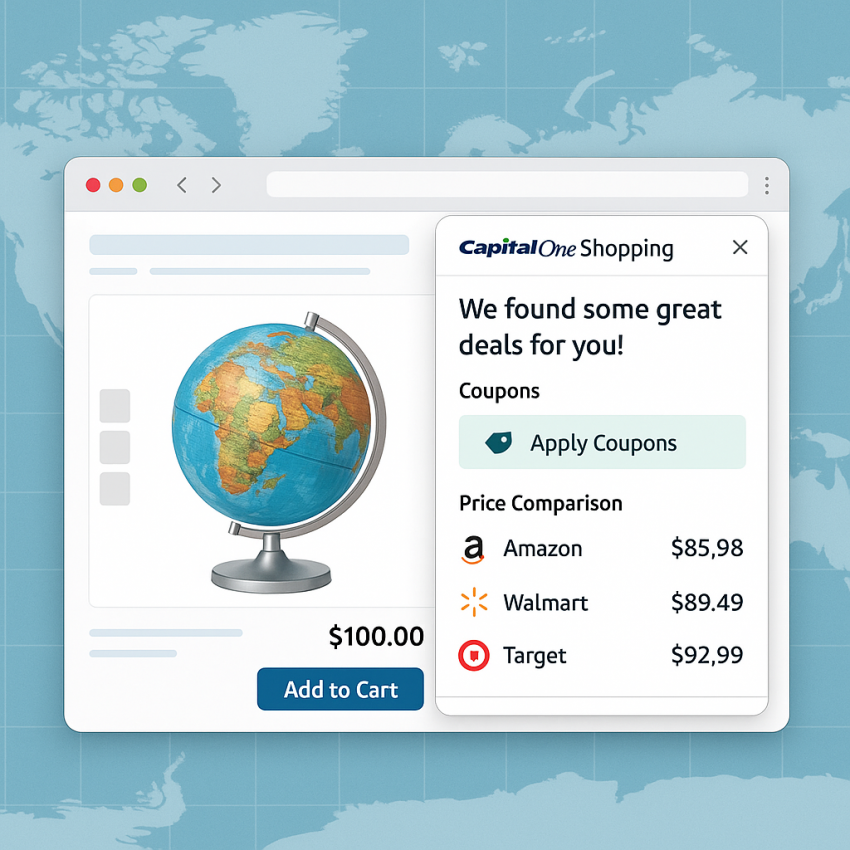
Capital One Shopping is a browser extension designed to help online shoppers save money by automatically applying coupons, showing price drops, and comparing offers. With Capital One Shopping, you can earn rewards and quickly verify deals while you shop online. The tool is useful for anyone looking to reduce outgoing costs on everyday purchases without sacrificing convenience.
In this guide, you will learn what Capital One Shopping can do, how to install and use it effectively, and best practices to ensure safe and legal use. The article incorporates practical examples from the service page Capital One Shopping on SMSPVA to illustrate features and integration ideas, while keeping the focus on responsible usage.
Why use Capital One Shopping
- Automatic coupon application reduces manual searching time.
- Real-time price comparisons help you pick the best deal.
- Rewards and savings can add up across multiple purchases.
- Easy installation and compatibility with major retailers.
For those curious about the background of the service, you can explore the official Capital One Shopping site for background and updates: Capital One Shopping official, which provides details on features and supported stores. You can also review general online safety information at Google Safety and learn more about the history of Capital One on Wikipedia.
How to use Capital One Shopping
- Visit the official extension page and add it to your browser.
- Shop on supported sites; the extension will scan for coupons and price drops.
- Review available coupons and select the best deal before checkout.
- Keep an eye on price alerts to catch future reductions on items you want.
- Always verify the final price at checkout to ensure you captured the best offer.
In practice, Capital One Shopping streamlines the discount process, but it does not replace due diligence. Always verify terms and ensure you are using legitimate promotions on reputable sites. For quick access to the service, you can open the dedicated page: Capital One Shopping on SMSPVA.
Table: Features and Troubleshooting
| Feature | Capital One Shopping |
|---|---|
| Coupon discovery | Yes, automatic |
| Price comparisons | Yes, real-time |
| Rewards | Cashback/rewards on eligible items |
| Supported sites | Major retailers and marketplaces |
| Privacy | Browser extension with local data handling |
Safe and legal use
- Install only from official sources and keep the extension updated.
- Respect retailer terms of service and avoid applying coupons on prohibited items.
- Be mindful of data privacy; review permissions requested by the extension.
For broader context on online security, see Google Safety and read about the Capital One corporate information on Wikipedia.
FAQ
Q1. What is Capital One Shopping?
A: Capital One Shopping is a browser extension that helps you find coupons, compare prices, and save money while shopping online.
Q2. Is Capital One Shopping free to use?
A: Yes, the basic features are free to use and can help you save on many purchases.
Q3. Can I use Capital One Shopping on mobile devices?
A: The extension primarily works on desktop browsers; mobile savings may depend on installed apps and the retailer’s mobile site.
Q4. Does Capital One Shopping work on all websites?
A: It supports many major retailers, but not every site. If no coupon is found, you can still compare prices on supported pages.
Q5. Is Capital One Shopping safe?
A: Yes, when downloaded from official sources, it follows standard browser extension safety practices.
Q6. How do I start with Capital One Shopping?
A: Visit the official extension page, install it, and begin shopping on supported sites to see coupons and price comparisons.
External resources for broader context: WhatsApp, Google Safety, and Capital One on Wikipedia.
FAQ (JSON-LD)
This page includes a structured FAQ for search engines.