

Many of us are faced with the need to create multiple accounts for different purposes, from managing advertising campaigns to personal use. If you’re looking for a way to sign up for a VooV Meeting account without using your personal phone number, a number rental service like smspva can help. In this article, we’ll detail how to create a VooV Meeting account using smspva, and discuss possible reasons why you may not receive a confirmation code for your rented number.

Steps to register a VooV Meeting account
1. Register at smspva.com
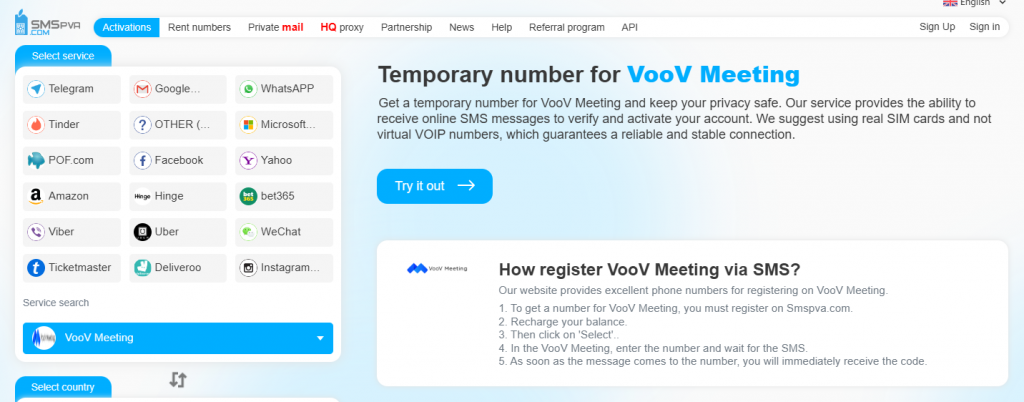
The first step to creating a VooV Meeting account is to create an account at smspva.com. Go to the site and register. Once registered, log into your account and top up your balance – this is required to rent virtual numbers.
2. Number rental
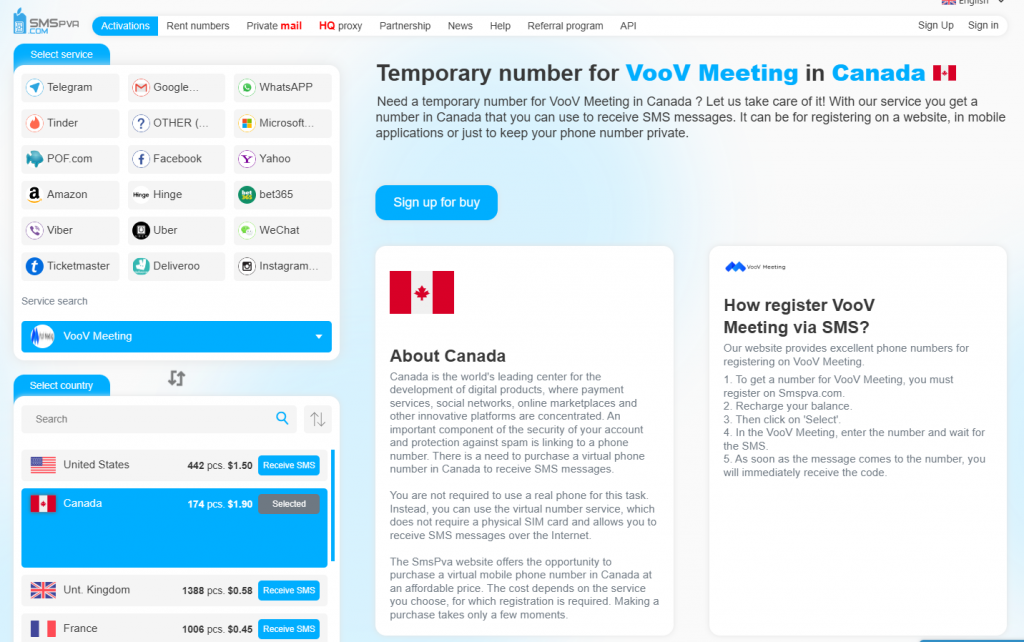
On the main page of smspva.com select the country whose number you want to rent. In the list of available services find ‘VooV Meeting’. The system will offer you a number that you can use for registration. Copy this number.
3. Registering a VooV Meeting account
Now go to voovmeeting.com and start the process of registering a new account. Enter all the required details like first name, last name, date of birth, email address etc. In the phone number entry field, insert the leased number obtained from smspva.com. Continue with the registration process, waiting for the SMS confirmation.
4. Receive and enter the confirmation code
Go back to smspva.com and open ‘My Orders’ or similar to view the SMS messages received. When VooV Meeting sends a confirmation code to the leased number, it will appear in this section. Enter the received code on the VooV Meeting website to complete your registration.
Reasons why the confirmation code may not arrive
There are a number of reasons why the confirmation code may not arrive at the rented number. Let’s take a look at the most common ones:
Network or service overload
During peak loads on the operator’s network or the VooV Meeting service itself, sending and receiving SMS may be delayed, especially during public holidays or mass events.
Number entry errors
If the number is entered incorrectly, the SMS will not reach you. Make sure the number entered is correct, including the international country code.
Problems with your service provider
Delays or problems on the part of the mobile operator may prevent SMS delivery. This may be due to technical problems or network maintenance.
Phone settings
Check your phone settings. You may have SMS filters or blockers enabled that may be preventing you from receiving the code.
Regional restrictions
Some leased numbers may have restrictions on receiving international SMS. Make sure the leased number supports receiving messages from international services.
Result
Using a number rental service such as smspva.com can be a convenient way to register a VooV Meeting account without the need for a personal phone number. By following simple steps, you will be able to create a new account and confirm it while keeping your personal information safe. This way, you can effectively manage your personal and professional space without worrying about privacy.
-
 Receive Facebook Verification SMS with SmsPva: Step-by-Step Guide for 2026
 -
 Receive Facebook Verification SMS with SmsPva: Step-by-Step Guide for 2026
 -
Instagram Verification Code Not Arriving in 2026? What to Check, How Long to Wait, and When SmsPva Can Help
-
How to Receive Google Verification SMS with SmsPva in 2026
-
 Instagram Verification Code Not Arriving in 2026? What to Check, How Long to Wait, and When SmsPva Can Help